Notification on the Control Panel
The result and processing status of processes executed on each screen are displayed in the notification area in the upper right of the screen.
Notification Display Examples
Example of a general notification

Example of the notification button and the number of notifications
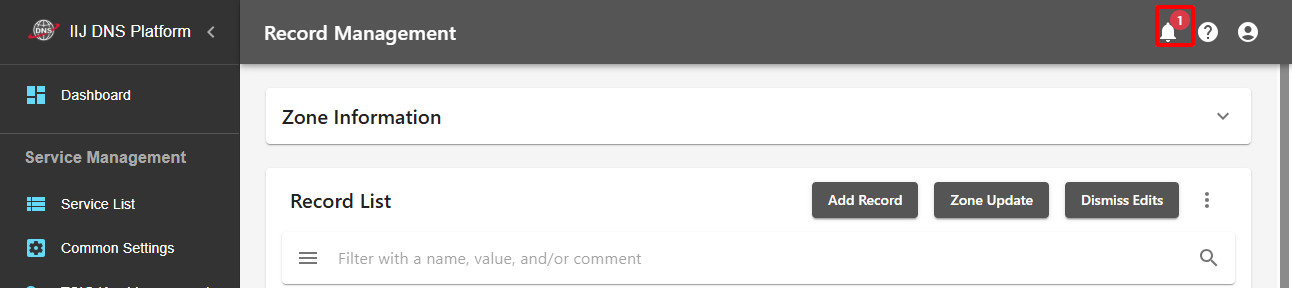
The notification will be hidden after a certain period of time has elapsed. If it is an important error, its content will be retained and it can be redisplayed by clicking the notification button.
The numerical value displayed on the notification button represents the number of notifications that can be redisplayed.
Clicking " (Close)" in the notification closes the message. Note, however, that the message can no longer be displayed after it is closed.
Notification Types
The display color and operation method vary according to the notification type.
| Notification Types | Appearance | Description |
|---|---|---|
| Processing |
|
The change is being processed. |
| Succeeded |
|
The process has been completed successfully. |
| Error |
|
The process failed and an error occurred. A response in accordance with the error message is required. |



Error Messages in a Notification
The error messages that can be displayed in a notification and how to handle each error are shown below.
Refer to "List of Error Messages" for error messages displayed in other places on the screen.
| Error Message | How to respond to the error |
|---|---|
The operation has been blocked. To contact IIJ, contact the Support Center with the block ID*1 (Block ID: {block_id}). |
Refer to "If an Operation Is Blocked for Security Reasons." |
| You do not have a contract or permission to operate a contract. | To link to the IIJ ID Service, you need to execute the operation with an account that has the proper authorization. Refer to "Linking to the IIJ ID Service" for more information on linking to the IIJ ID Service and setting the authorization. |
*1: block_id is a string which differs depending on the error message.